
After a creative is live on an Ion URL, you can copy the current embed code from that URL and place the experience on a third-party site.
Copy the code
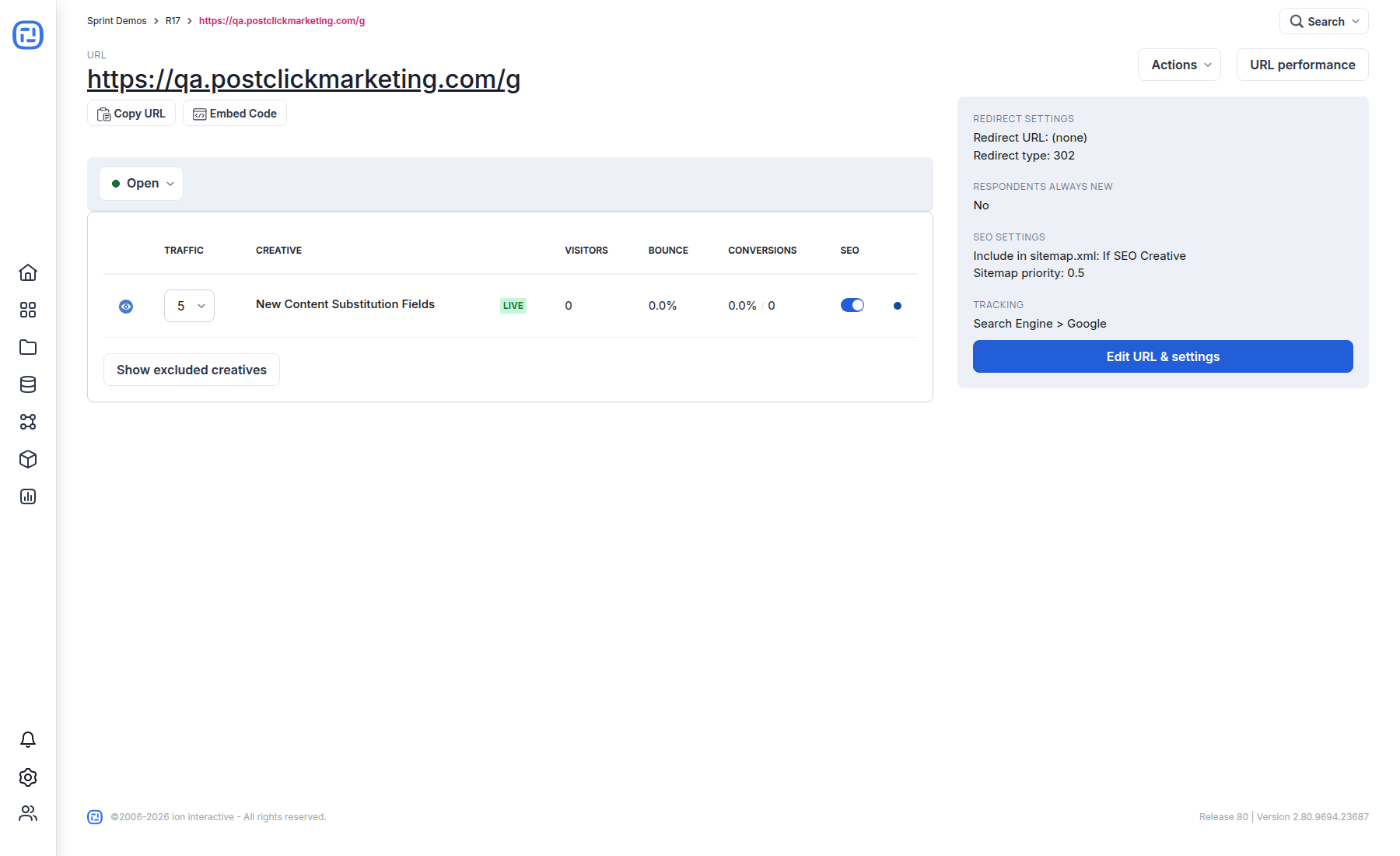
- Open the campaign and select the live URL.
- Select Embed Code beside the URL.
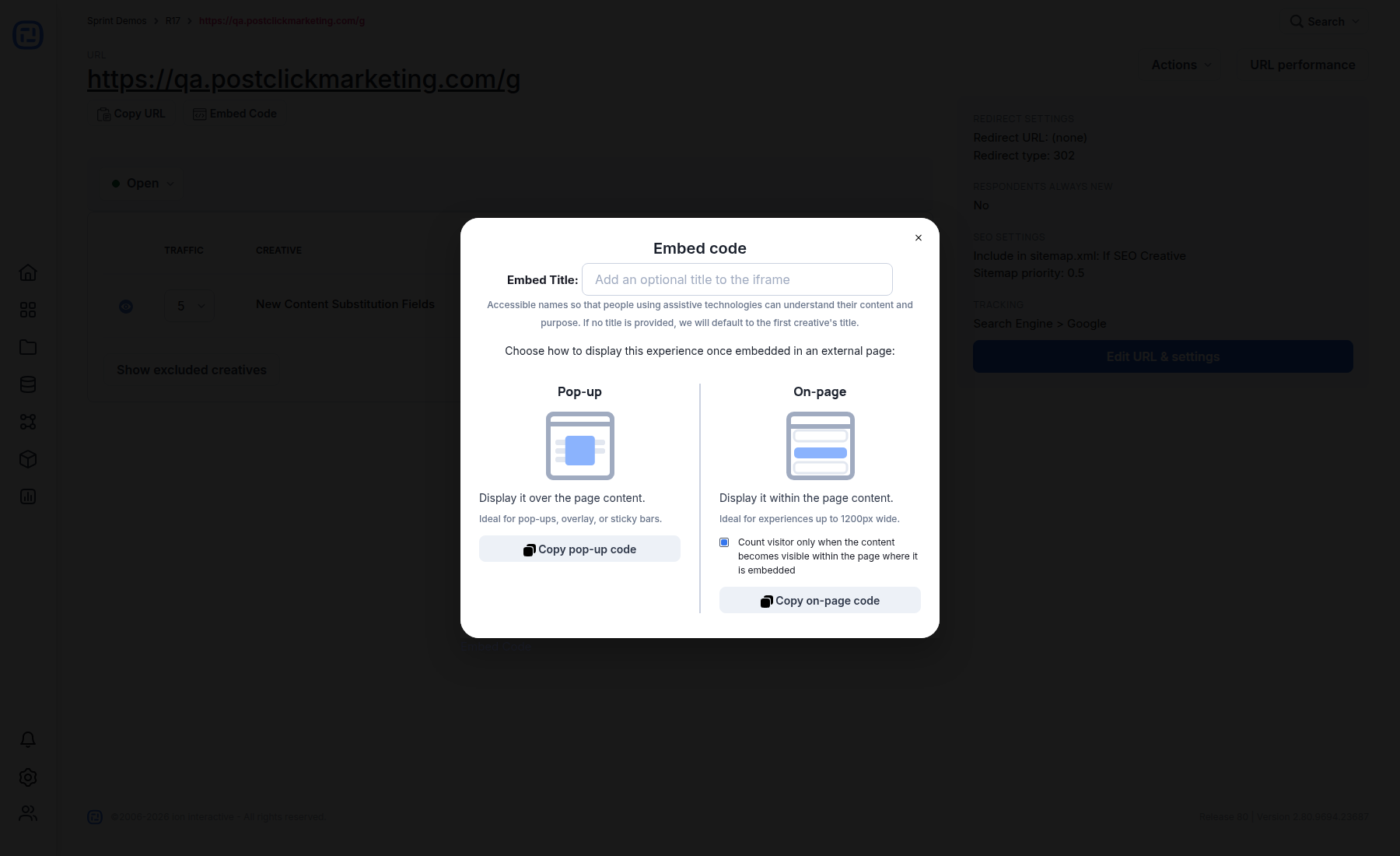
- Optionally enter an Embed Title. Use a short description of the embedded experience so assistive technologies can identify its purpose.
- Choose Pop-up to display the experience over the host page, or On-page to display it inside the host page content.
- For an on-page embed, decide whether Ion should count a visitor only when the embedded content becomes visible.
- Select the corresponding copy button and paste the generated code into the host page.
Verify before launch
- Use the final HTTPS host page, not only a local HTML file.
- Test at desktop, tablet, and mobile widths.
- Confirm forms, conversions, consent, analytics, and external links.
- Check keyboard focus and the accessible embed title.
- If the host page uses a strict Content Security Policy, allow the exact Ion resources referenced by the generated code.
