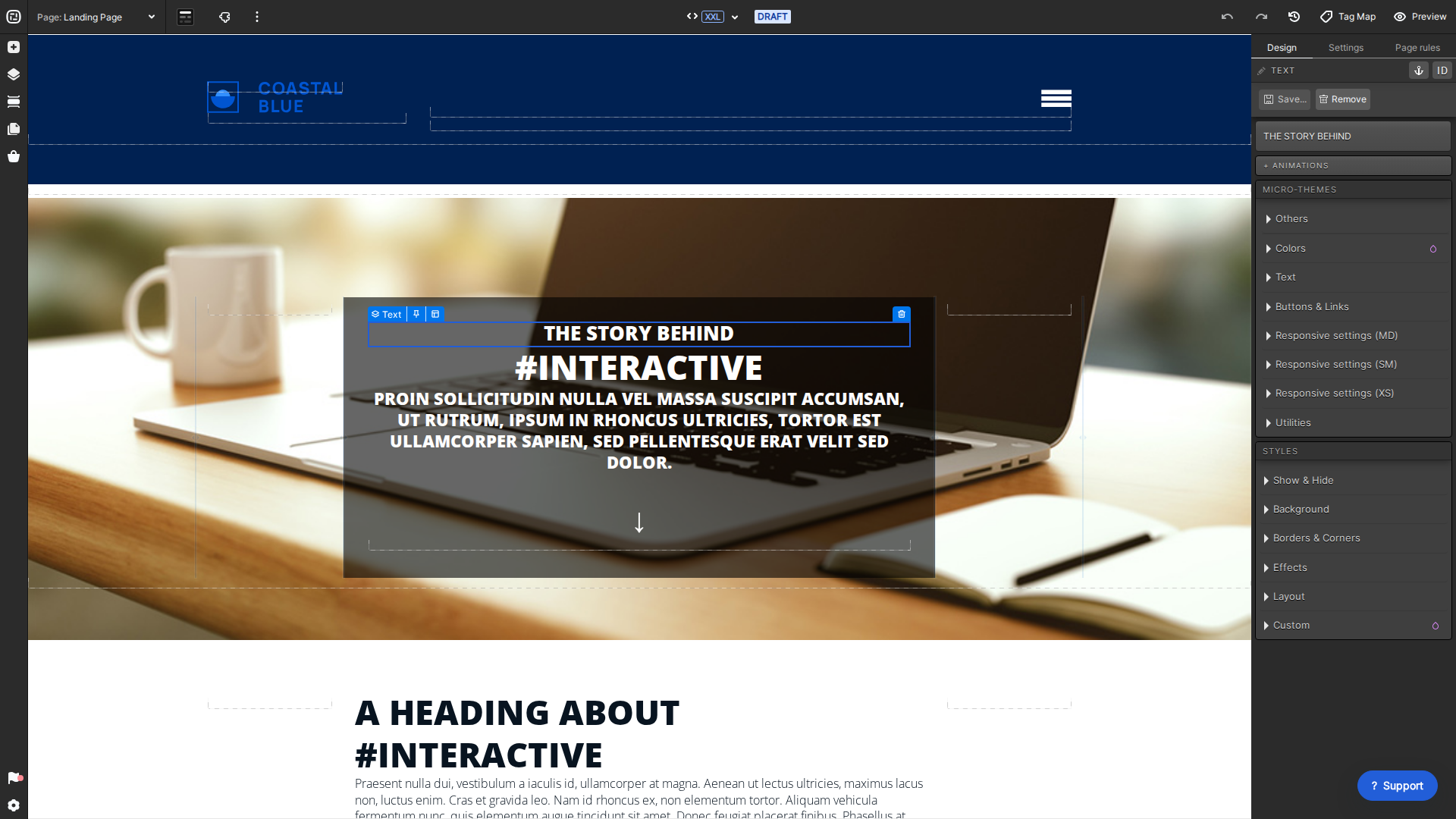
Ion gives every element a default label and a unique element ID. Clear labels make complex pages easier to navigate, search, proof, and hand to another teammate.
Current interface
Use the pencil beside the selected element label to give it a useful name.
Rename an element
Open the page in Creative Studio and select the element.
Choose the pencil beside the element label.
Enter a descriptive name and confirm the change.
Renaming changes the friendly label only. It does not change the element’s unique ID or any advanced rule that references that ID.
Akemi is a visual designer with over 10 years experience designing for web, mobile and other digital platforms. Her passion lies in creating thoughtfully crafted user experiences that are intuitive, accessible and highly functional. When she's not behind a screen, you'll find her in the kitchen cooking for family and friends or reading Don Norman's books.