Skip to content
Ion Academy
Links

How-To: Scroll Links

A Scroll To behavior moves a visitor to tagged content on the same page.

Current interface

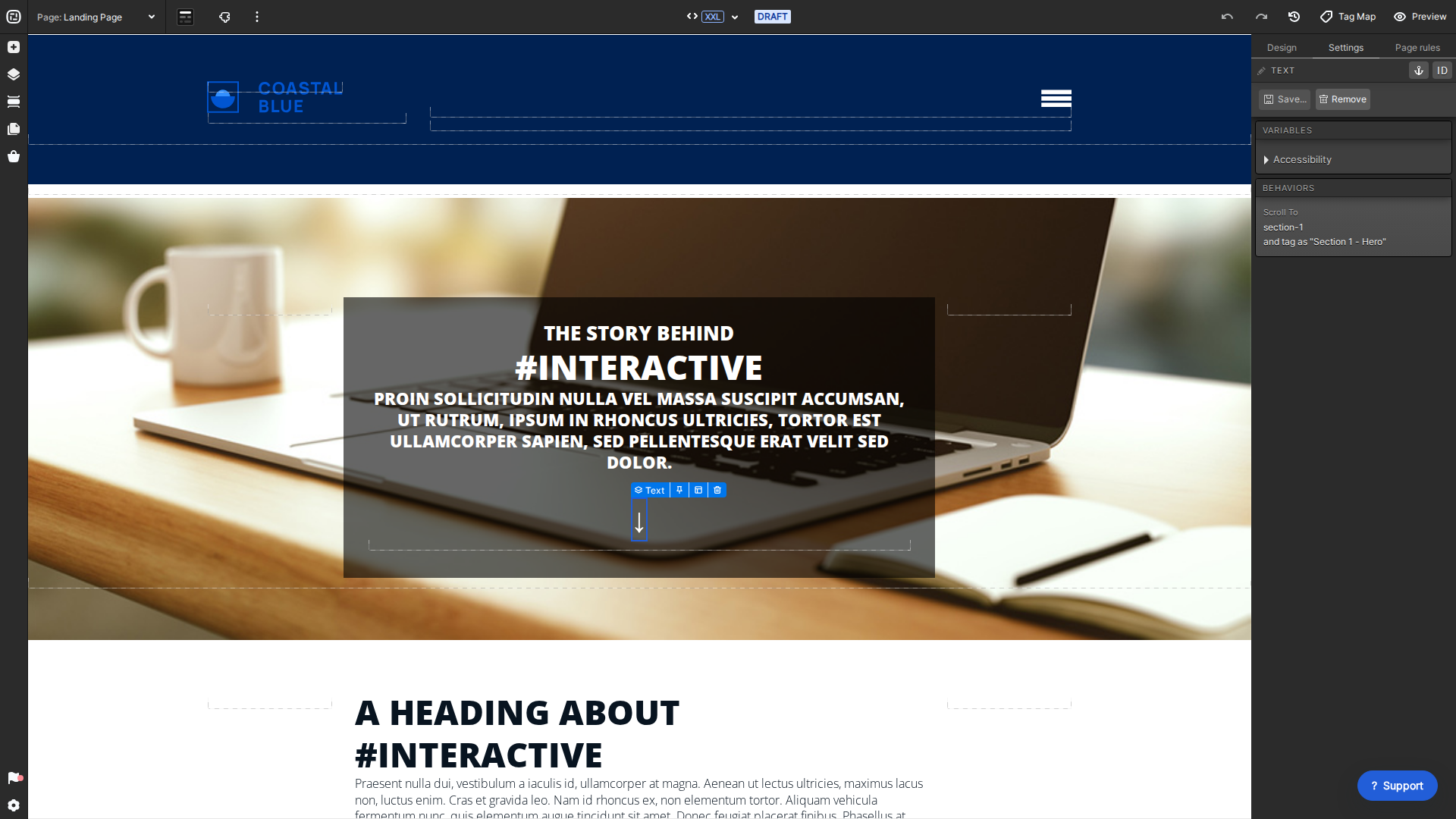
Current Creative Studio Scroll To behavior
Set the selected element's Scroll To behavior in Settings.

Set the destination

Select the destination element and give it a clear tag. Tags make the destination available to behaviors and rules.

Set the scroll behavior

  • Select the text, image, button, or other element visitors will click.
  • Open Settings, then Behaviors and choose Scroll To.
  • Select the destination tag and save the page.
  • Preview and test each breakpoint to confirm the destination remains visible.

For more detail about destination tags, see Anchor Links.

Share this:

Charmaine Yu is a UX/UI designer at Rock Content. With over a decade of experience in visual arts, Charmaine combines her eye for design with her love of UX to create memorable interactive content at Rock. With a UX design diploma from Brainstation, she spent the last couple of years learning and creating new content in the world of UX. Outside of work, you can find her cuddling her dog, at the next music festival or coach-potating at home.