
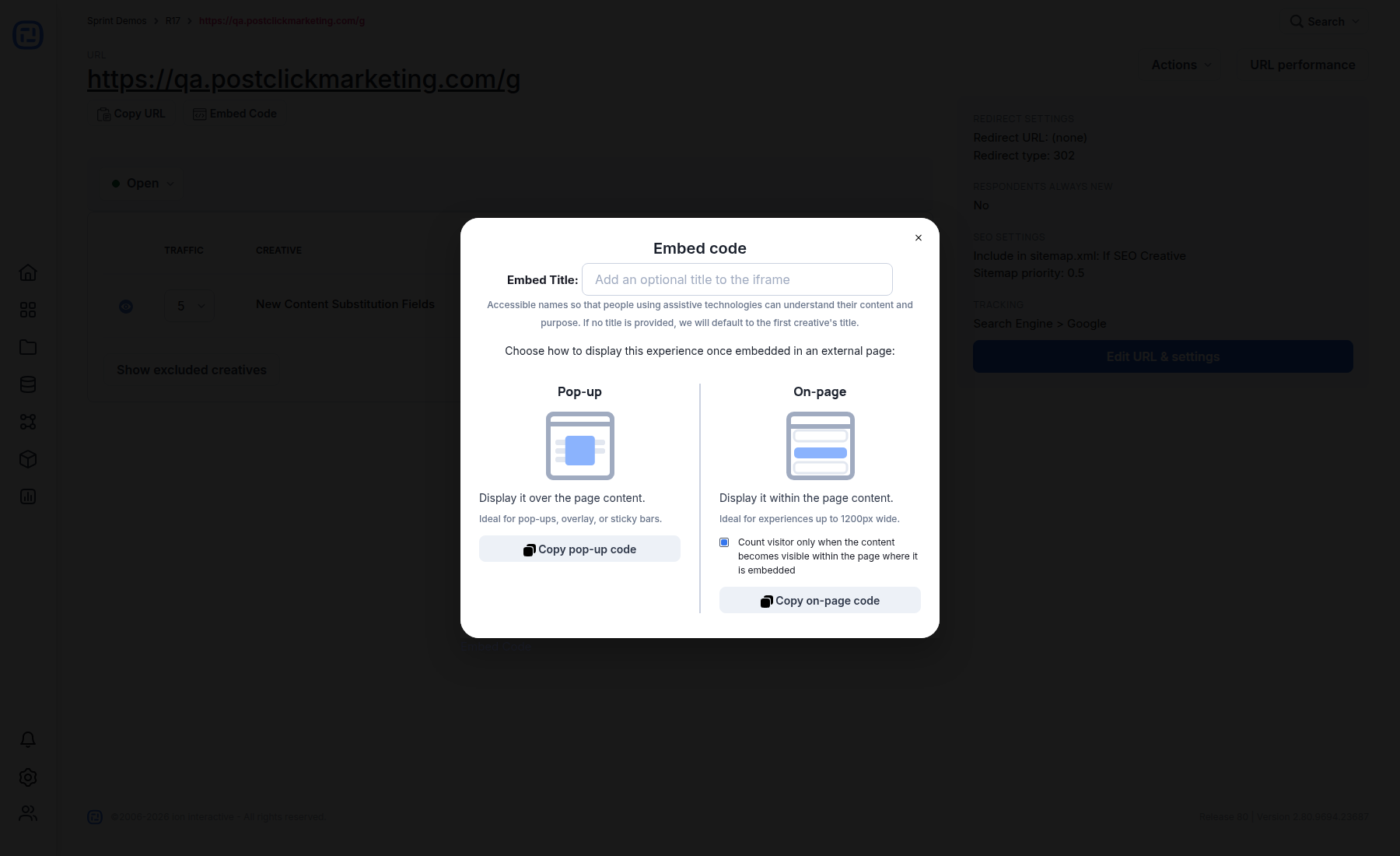
Embedding places an Ion experience inside a page hosted by another site. The current URL-level Embed code dialog supports two delivery modes: Pop-up, which displays over the host page, and On-page, which displays within the host page content.
Prepare the Ion URL
- Use a live Ion creative assigned to the intended HTTPS URL.
- Confirm that the creative’s responsive layouts work at the width available on the host page.
- Use Hide when embedded for navigation or other elements that should appear only on the standalone Ion URL.
- Test conversion, integrations, consent, analytics, and external links in an environment that matches the final host page.
Choose the embed mode
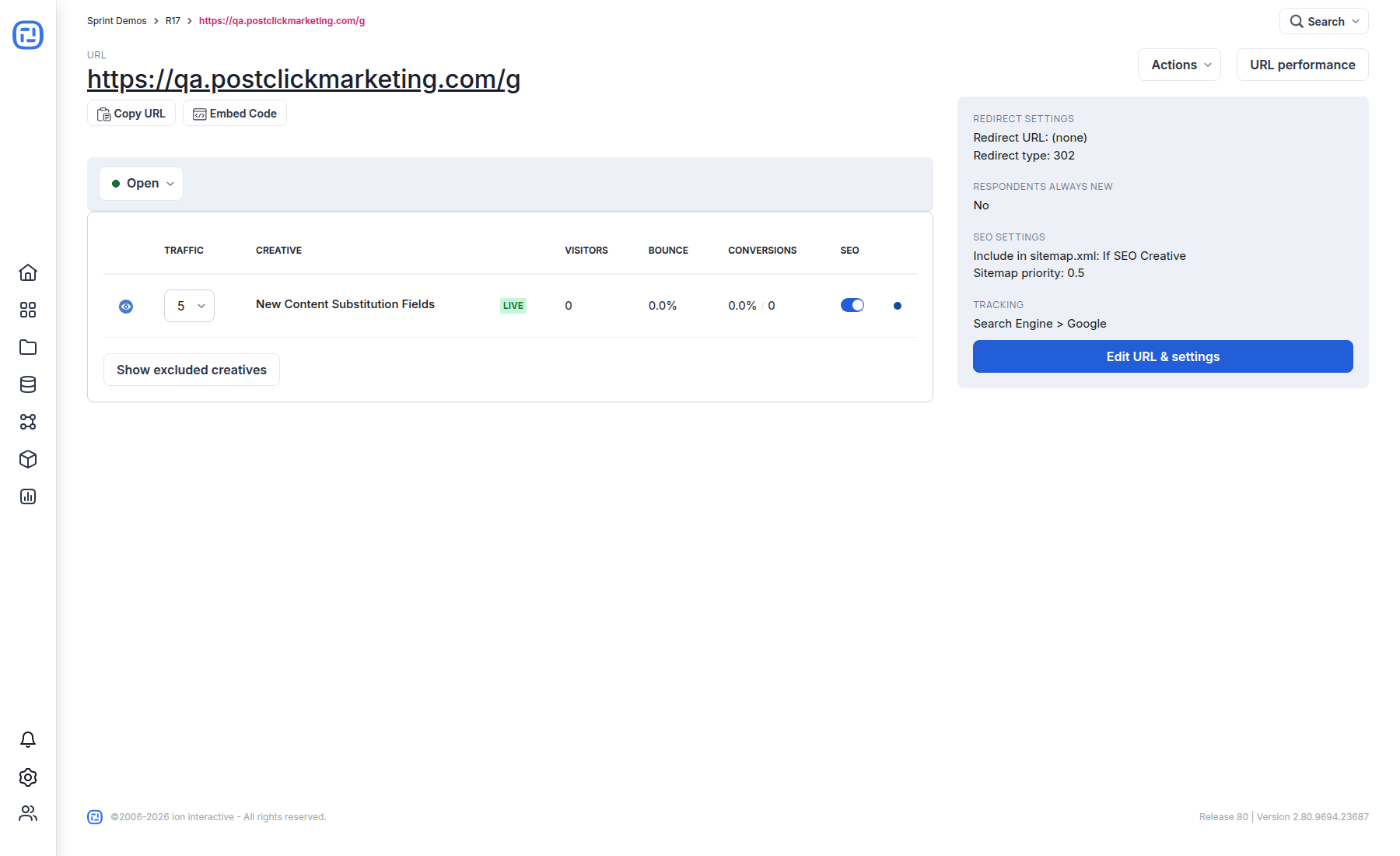
On the URL page, select Embed Code. Add an optional descriptive embed title for assistive technologies. If no title is provided, Ion uses the first creative’s title.
Choose Pop-up for overlays or sticky bars. Choose On-page for an experience that belongs in the page flow. For on-page embeds, the option to count a visitor only after the content becomes visible can keep off-screen embeds from being counted too early.
Host-page best practices
- Paste the generated code exactly once for that placement, and do not load duplicate copies of the same supporting script.
- Allow enough width and stacking order for dialogs, dropdowns, and validation messages.
- Avoid placing the embed inside a container that clips overflow unless that behavior is intentional.
- Confirm the host site’s Content Security Policy, cookie consent, and script restrictions allow the generated Ion resources.
- Test keyboard navigation, focus movement, mobile rotation, and screen-reader naming on the finished host page.
