
The Summary report provides a compact performance roll-up for the selected Ion scope and time period. It is available for System, Portfolio, Creative, Campaign, URL, and Brand space scopes.
Create a Summary report
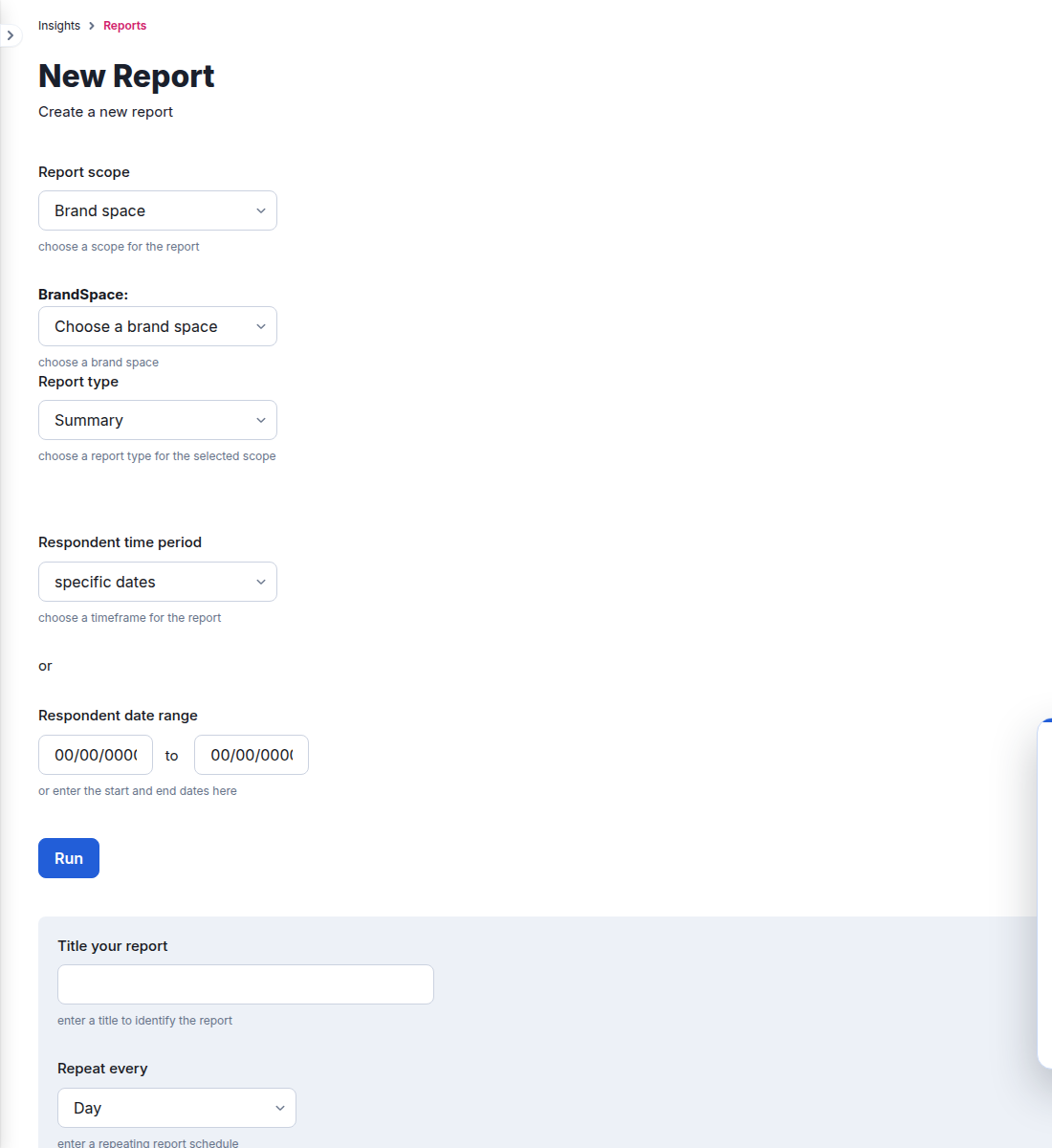
- Go to Insights > Reports and select New report.
- Select the report scope and then choose the specific portfolio, creative, campaign, URL, or Brand space when prompted.
- Select Summary as the report type.
- Choose the respondent time period or enter specific dates.
- Select Run for an immediate report, or enter a title and configure a recurring schedule.
Output and scheduling
The current Summary report supports PDF or CSV output. Saved reports can run daily, on selected weekdays, or monthly on the 1st or 15th, with delivery to configured email recipients.
Choose a scope that matches the decision you need to make: use Creative, Campaign, URL, or Brand space for a focused report, and System or Portfolio for a broader roll-up.
