
As part of complying with privacy and data protection laws, visitors from the European Union (GDPR), California (CCPA), and Brazil (LGPD) have the right to request that you amend or delete collected data. These same laws also require companies that collect data to be able to export it in a structured way.
Modify & Delete Respondent Data Fields
The supplied Training respondent example below shows the current search and record views. Available edit, delete, and download controls depend on the signed-in manager’s permissions.
The first step to modifying or deleting respondent data field is to search for the respondent within your Ion console. This can be done by clicking the Search tab at the right top of your Ion console and selecting “Search Respondents”:
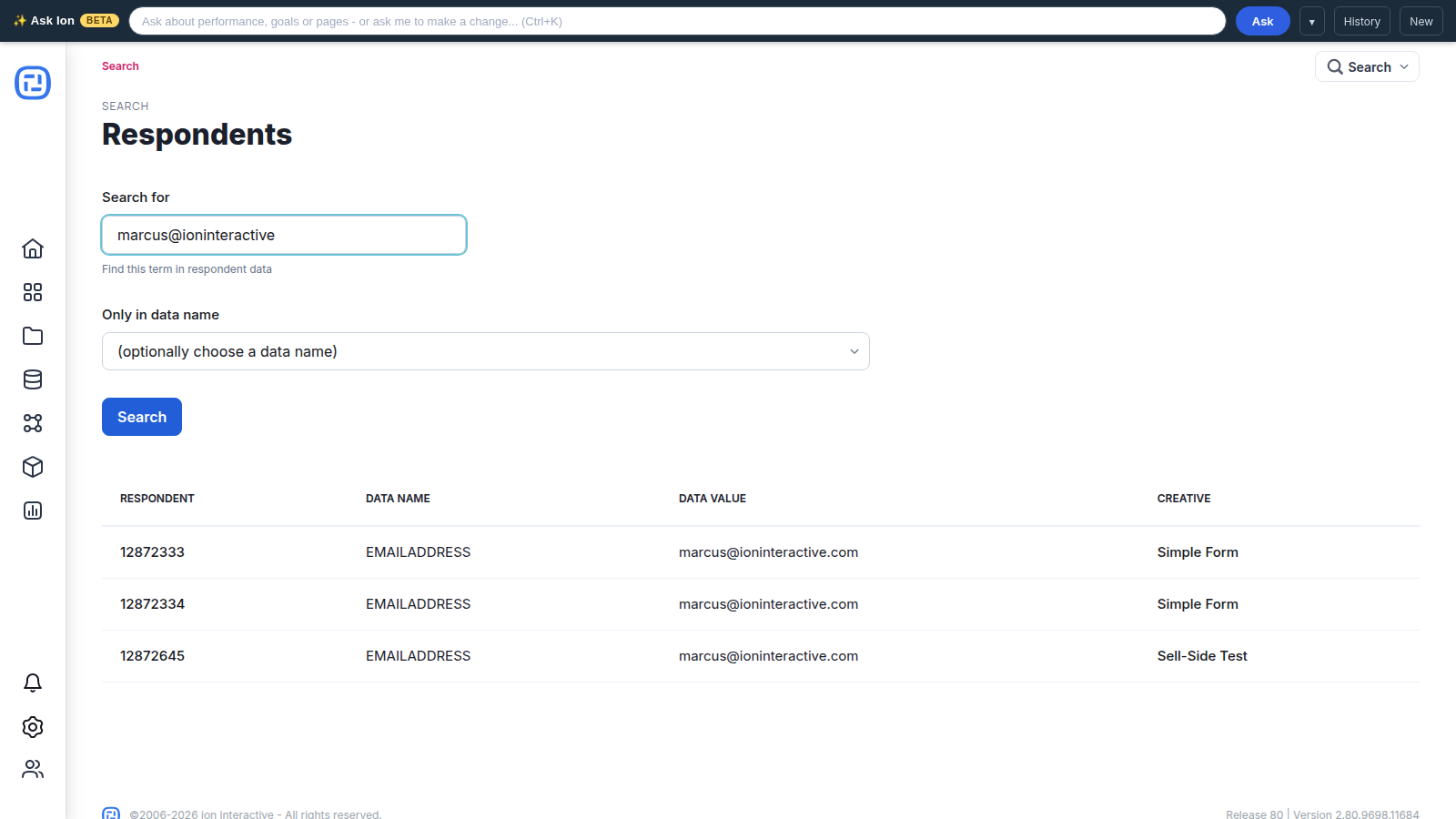
From here, you can search for a unique piece of data from your respondent to retrieve the respondent record. For example, you might search for the respondent’s email address. You can then click the respondent ID for the respondent record you would like to review:
Within the respondent record, you will find the respondent data that was collected. From here, you can click the “pencil” icon to modify the data that was collected or click the trash can icon to delete the data that was saved into that data field:
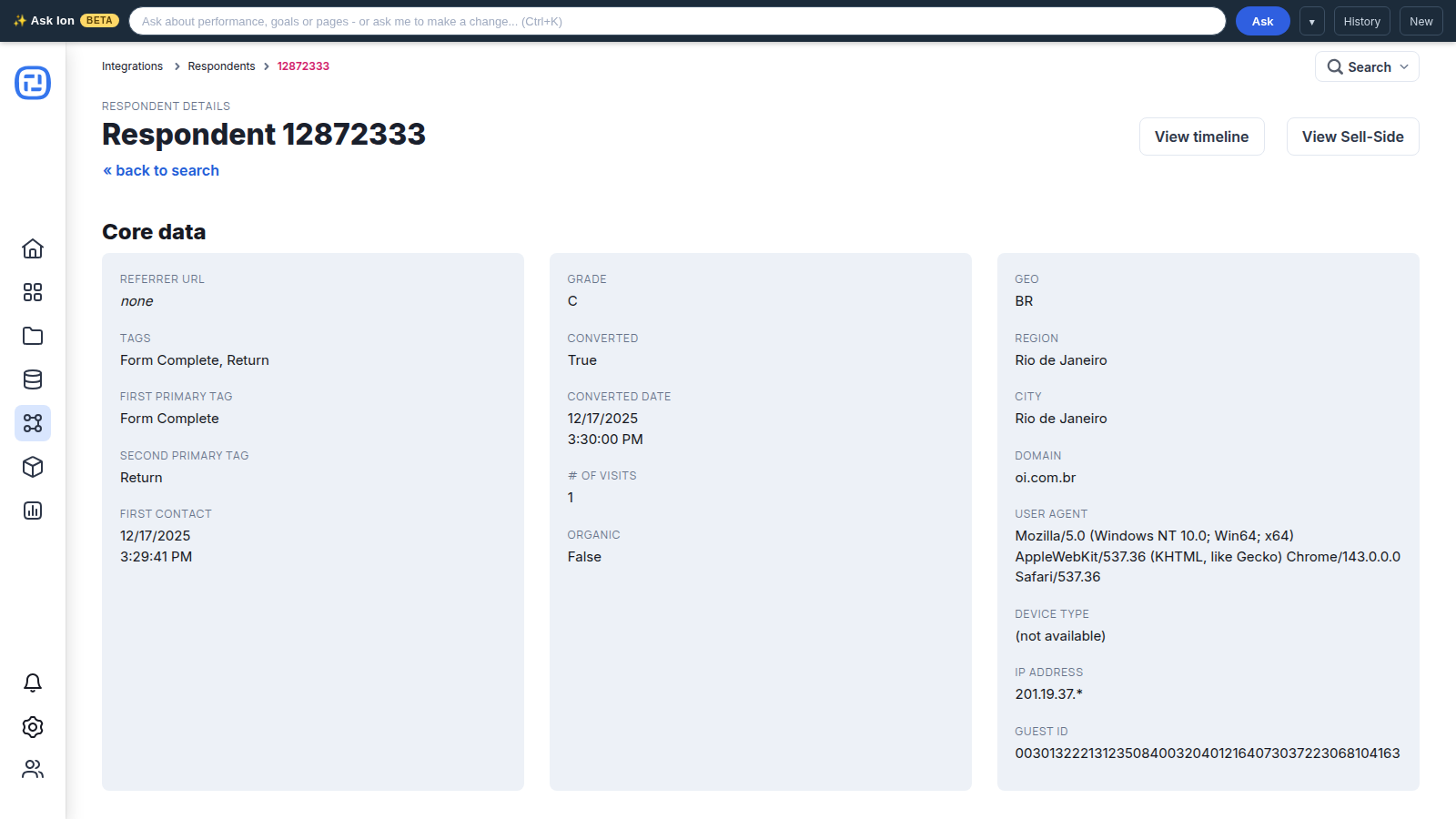
Clicking the “pencil” icon for a given data value will pull up a textbox that you can use to change the value that was stored into your console’s database.
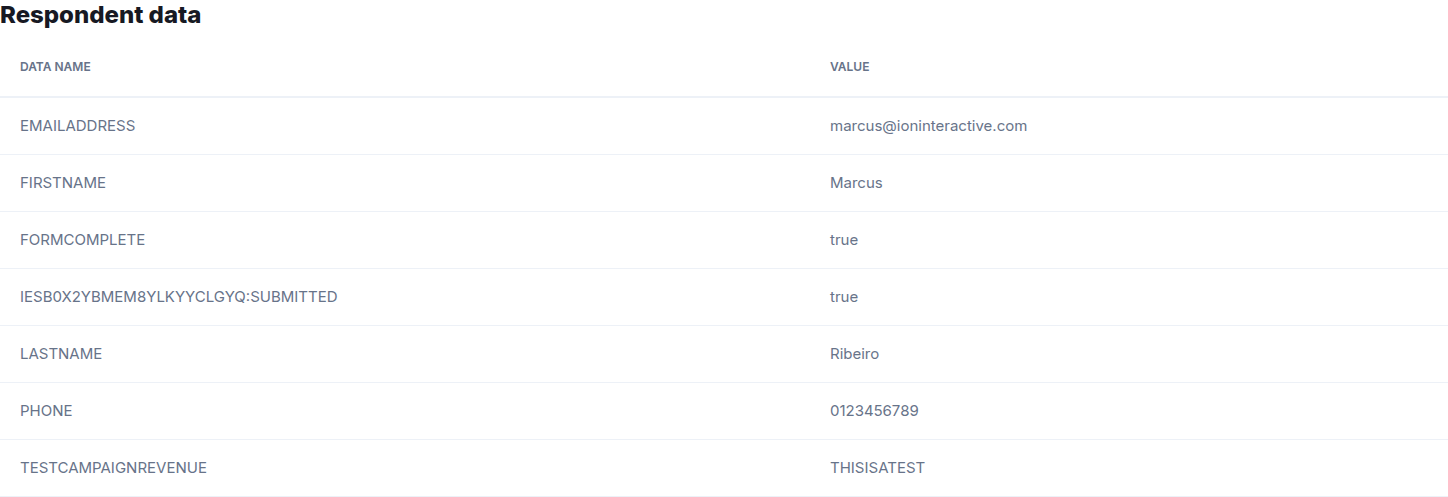
*NOTE: Please note that encrypted data cannot be modified but can be deleted.
Delete Respondent or Download Respondent Snapshot
At the bottom of the respondent record, you will see a section to delete respondent data or download a respondent snapshot. In this section, there is a dropdown you can use to either download a respondent snapshot and/or delete the respondent altogether.
You can select the “Download Respondent Snapshot (json)” option to go to another page with the respondent data shown in a json code block. This provides the respondent data in a structured manner that can be copied and exported out of your Ion console.
The “Delete Respondent” option will delete the entire respondent record. Note that this won’t remove data collected in visits to other Ion experiences from the same respondent. To remove all instances of a given respondent from your console, please review our Manage data storage and capacity support post which discusses the respondents deletion using their IP address.
